Engineering Works

On Sunday 15th February, Lumo will be operating limited services between Newcastle and Edinburgh/Glasgow only. For more details, visit our engineering works page. For live updates, please see our Twitter/X.
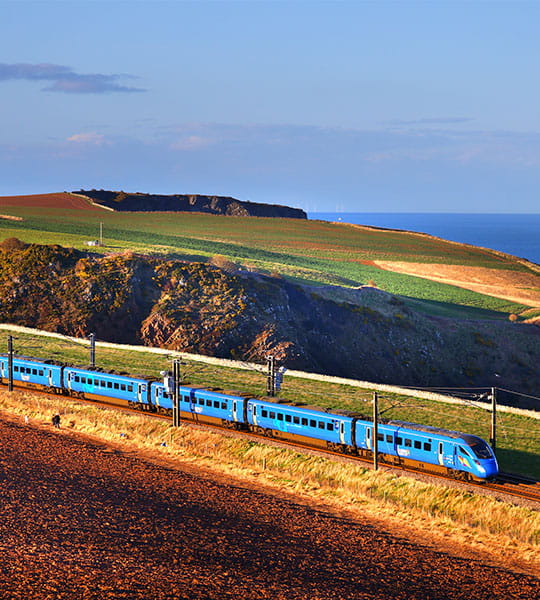
Lumo train passing through

website and app update

we will be updating our booking engine on both the Lumo website and the LumoGo app on February 17th

what's changing?

Our website and app will be updated on February 17th to make booking tickets a quicker and smoother process. You'll also now be able to pay with Apple Pay. This is just the beginning with many more improvements on the way!

If there's something you're still missing, rest assured, we're actively working on it in a future update. This includes our seat picker tool. Unfortunately, this is temporarily out of action whilst our teams work on some important upgrades, but it will be back with you shortly.

Two passengers staring at their phone
Person typing on a laptop

what do I need to do?

You can continue to use the website as you normally would; for those of you who have already installed our app, you will need to update this in either the App or Play Store and follow the instructions to reset your password and login to your account.

If you’re new here, you can create an account with us and start buying tickets through our website or alternatively, download the latest version of the app from the App or Play Store. 

tickets booked before February 17th

If you have made a booking for travel after 17th February on our previous booking system you will need to access your e-ticket attached as a PDF on your original email confirmation. It will have been sent by noreply@lumo.co.uk

We have also transferred your booking history to the new website/app. Any bookings made prior to the update will be available to view in My Account after you've reset your password and logged in. If you need to refund this booking please use our Refund Portal.

Lumo staff handing coffee to customers

FAQs

No unfortunately not, if you've made a booking within the last 26 months, we will send you an email inviting you to reset your password on the day of transfer. The link will be valid for 48 hours and it will take you to our website to submit your details. 

If you haven't clicked the link within 48 hours, you will have to reset your password using the Forgotten Password link on the website or app.
Once you've updated your password you can continue to use the website as you normally would; our homepage search and all of the “Buy Tickets” buttons will direct you to our new online booking engine. For those of you who have already installed our app on your phone, you will need to update this in either the App or Play Store and follow the instructions to reset your password and login to your account. Please note, existing customers will only be required to do this once and will receive an email with clear instructions on how to complete these steps.

If you’re new here, you can create an account with us and start buying tickets through our website or alternatively, download the latest version of the app from the App or Play Store and purchase directly from there.
If you have made a booking for travel after 17th February on our previous booking system you will need to access your e-ticket attached as a PDF on your original email confirmation. It will have been sent by noreply@lumo.co.uk

We have also transferred your booking history to the new website/app. Any bookings made prior to the update will be available to view in My Account after you've reset your password and logged in. If you need to refund this booking please use our Refund Portal.
We have transferred your booking history to the new website/app. Any bookings made prior to the update will be available to view in My Account after you've reset your password and logged in. If you need to refund this booking please use our Refund Portal.
Your feedback is important and we’re always looking for ways to improve your experience, not just when you travel with us, but also when using our website and app. Our aim is to offer a simple booking experience that makes planning a trip easier. For that reason, we’ve made some changes to our digital booking engine and to the way we manage customer accounts online, all of which are explained below. Rest assured, all previously purchased tickets are still valid and have been transferred over to our new booking system. 
You can request a refund via our Refund Portal.
From day one, you will notice a faster booking experience with some new features introduced such as Apple Pay as a payment method. We are also working on further updates which will include the return of seat picker. 
Any remaining balance for eVouchers that have not expired will still be available after we've launched our new website and app. You just need to make sure you've added your eVoucher(s) to your account before.
If there's something you're still missing, rest assured, we're actively working on it and it will be re-released in a future update. This includes our seat picker tool. Unfortunately, this is temporarily out of action whilst our teams work on some important upgrades, but it will be back with you shortly. You can still reserve a seat on one of our services, and we will do our best to allocate one that best matches your preferences although please be aware that this is subject to availability.
If you wish to leave feedback or report an issue, you can do so via our online support centre.

Alternatively, you can also share your feedback via email or WhatsApp on 07816 123149.